
IGAMES PS2
IGames BRLibraries & Demo
4.5426.00 Reviews
- Version
- 2.0.6
- Installs
- 5.00M
- Age Rating
- Everyone
Screenshots
Our Review of IGAMES PS2
 Analysis by Appyee
When I consider a PS2-themed mobile app, the first question is not only whether it can bring back familiar games, but how well that idea fits the way I actually use a phone. IGAMES PS2 sits in the Libraries & Demo space, where the appeal is trying out a nostalgic gaming experience rather than replacing a dedicated console. I would approach it with curiosity and a little patience: a phone offers convenience, but a touchscreen and a changing network environment are not the same as settling in with a console and controller.
How the connection affects a mobile gaming session
I treat connectivity as something to test in small steps rather than assume: a stable network is a sensible place to begin exploring, while a weak signal is a poor time to keep retrying the same action. Before making this part of a commute or another routine, I would compare a brief session in the setting where I expect to use it. That makes it easier to distinguish a temporary connection hiccup from a broader fit issue.
Network moments matter before and during play
Connectivity can shape the experience at several points: opening an app, browsing what it offers, and moving between play and other tasks. I would use a stable connection when first exploring IGAMES PS2, especially if I expect to load or access game-related content. On a commute or in a building with patchy reception, I would avoid starting a session that depends on something I have not yet checked. That is a practical precaution, not a claim that the app requires a connection at every stage.
The useful habit is to notice where interruptions happen on your own device. If browsing feels slow, I would wait until the connection improves rather than repeatedly tapping buttons or restarting. Those extra attempts rarely make a weak signal better, and they can leave you unsure whether the app is still working or simply waiting. I also would not assume that a game will continue seamlessly after a network change; I would test a short session first before relying on it during travel.
Where a phone fits—and where it does not
A mobile format is appealing when I have a short break and want to revisit a familiar style of gaming without reaching for a console. It is less convincing when I want a long, uninterrupted session with precise control. Touch input can feel adequate for casual play, but the screen covers part of the view while my fingers are in the way, and small control adjustments can be awkward. If a Bluetooth controller works with your phone and the app, it may make the experience more comfortable; I would check compatibility rather than buy one on assumption.
There is also a simple planning trade-off: a phone used for gaming is still the phone I may need for messages, maps, or a call. For a relaxed session at home, that may not matter. When I am travelling or waiting for an appointment, I would keep the session short and avoid counting on it as my only entertainment if reception or battery life is uncertain. The best fit is a flexible bit of nostalgia, not a guaranteed console-length experience in every setting.
What I would do when something goes wrong
If a screen takes longer than expected to respond, I would first pause and check whether the connection is stable, then give the app a moment before closing it. If the problem happens repeatedly, restarting the app and trying again later is a more sensible first step than changing several phone settings at once. Make one change at a time; that way, you can tell whether the issue was temporary or tied to a particular network or device condition.
I would also treat progress carefully. Before switching away during a session, look for any available way to preserve your place and confirm that it worked before relying on it. A mobile app can be interrupted by ordinary things such as an incoming call or a low-battery warning, so I would not assume every pause is harmless. This small check is especially worthwhile before closing the app or moving between networks.
Use data deliberately
If you are watching your mobile data, browse and set up the experience over Wi-Fi where practical, then see how the app behaves before making it part of a regular commute. Avoid leaving repeated reloads running on a weak connection, and check your device’s data-usage settings if you want to understand what an individual app is consuming. This is a general phone-management step, not a promise about the app’s data use.
Storage deserves similar attention. Before adding anything, I would check how much free space the phone has and leave room for the operating system and everyday apps. A cramped device can make any large gaming setup inconvenient, while clearing space in a hurry after a download is frustrating. If you only want to explore casually, start small and see whether the experience earns a permanent place on your phone.
Who will get the most from it
IGAMES PS2 is most appealing to people who enjoy revisiting the look and feel of older console gaming and are comfortable experimenting on a mobile screen. It may suit a casual player who has a compatible, reasonably capable phone, enough storage, and the patience to test controls and connectivity before settling in. It is also an easy idea to understand for someone curious about retro gaming but not ready to commit to a dedicated setup.
I would steer away if your priority is guaranteed compatibility with a particular game, consistently precise controls, or a polished experience that never needs troubleshooting. A console remains the more predictable choice for someone who wants the original living-room routine. A dedicated, well-documented emulator may also suit an experienced user better if they value detailed settings and know how to manage their own game files. Those alternatives involve different setup and compatibility considerations, so they are not automatically simpler.
Where it sits among the alternatives
Compared with classic-console play, the obvious advantage here is having a mobile option to explore. The trade-off is that the phone’s controls, hardware, storage, and network conditions all become part of the experience. Compared with other retro-gaming tools, a casual app can be less intimidating to try, while a specialist option may give an experienced player more control over setup. I would choose based on what matters most: convenience and curiosity, or predictability and fine-grained control.
One practical way to judge the fit is to test the same short play window in two settings: first somewhere with a stable connection, then in the place where you expect to use the app most. Notice whether navigation, loading, and controls remain comfortable, rather than judging only by the first few minutes at home. That quick comparison tells you more about your own routine than a broad promise about mobile convenience.
Who makes it and what to expect
IGAMES PS2 is made by IGames BR and is free to install, with optional in-app purchases priced from $0.89 to $5.99 per item. It is marked for everyone, and its current version is 1.3.1; Android support starts at version 8.0. The app has a 4.4 average from around 13,000 ratings, with over a million installs. That level of interest makes it a familiar option to consider, but popularity cannot tell me whether it will run smoothly on your particular phone or suit your preferred controls.
For a realistic everyday test, I would open it at home on Wi-Fi, explore briefly, and then try a short session during a break before deciding whether it belongs in my routine. If I planned to spend money, I would first make sure the free experience is something I actually enjoy and understand what an optional purchase adds. I would also check that I have enough storage and that the controls are comfortable before investing in accessories or changing my usual setup.
Gameplay Experience: A Blast from the Past
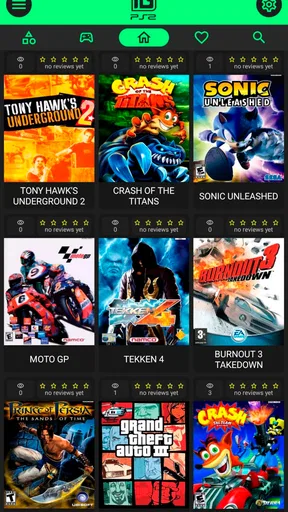
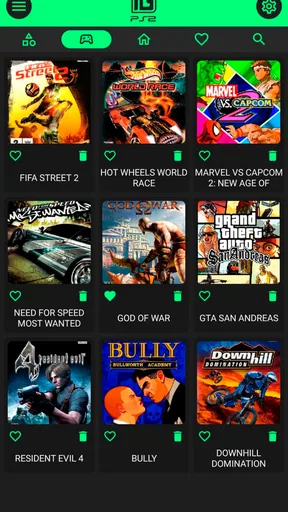
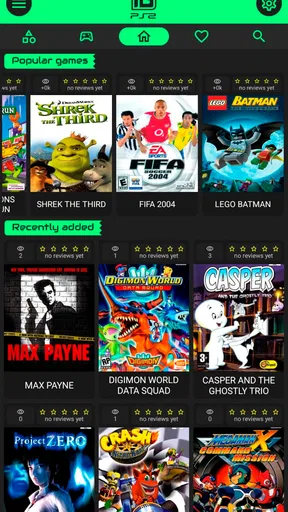
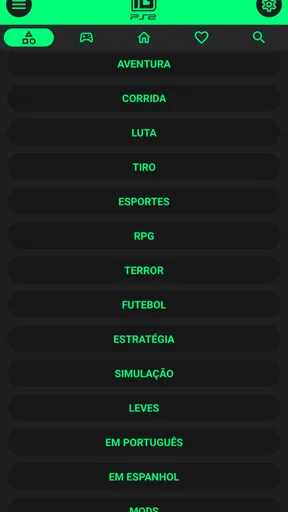
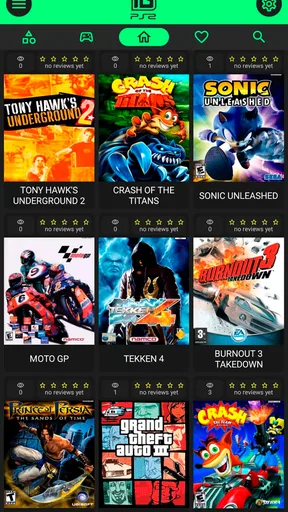
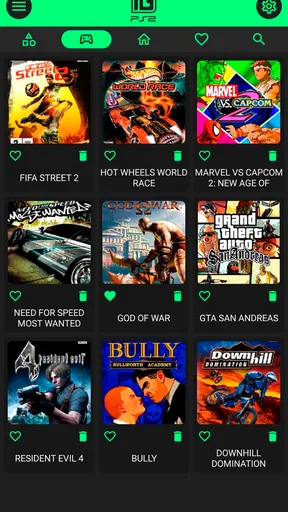
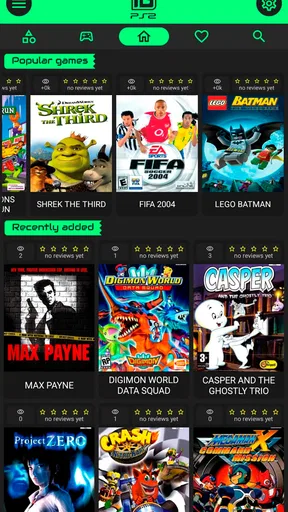
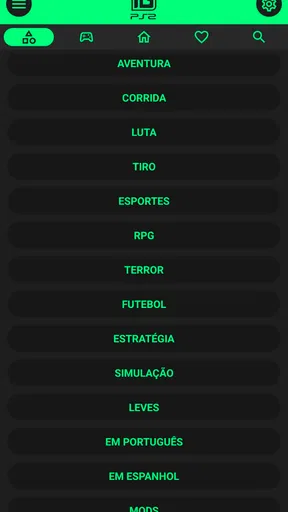
Right off the bat, iGames PS2 makes a bold promise: to transport you back to those late-night gaming sessions on your trusty PlayStation 2. After installing it, I was greeted with a user-friendly interface that made it super easy to navigate through my favorite titles. The app supports a wide range of games, and with a few taps, I was reliving my childhood.
The controls are surprisingly intuitive. Although nothing beats the feel of an actual PS2 controller, iGames PS2 does a decent job of replicating it on a touchscreen. There were a few moments where I wished for more precise control, but overall, it didn’t take away from the fun. Pro tip: if you’re a hardcore gamer, consider pairing a Bluetooth controller for a more authentic experience.
Performance and Features
One of the first things I noticed was how smoothly the games ran. I was initially skeptical about how well a mobile device could handle these classics, but iGames PS2 impressed me with its performance. The app supports high frame rates and offers customization options to optimize the experience for your device.
Another cool feature is the ability to save and load game states. This means I could pause a game, switch apps, and come back without missing a beat. It’s little touches like this that make iGames PS2 a standout choice for retro gaming enthusiasts.
Compatibility and Accessibility
iGames PS2 is available for both Android and iOS, making it accessible to a broad audience. However, it’s worth noting that the app performs better on newer devices due to the hardware demands of emulating PS2 games. If you’re using an older phone, you might experience some lag or longer load times.
The app also offers support for external storage, which is a lifesaver given that some games can take up a significant amount of space. I’d recommend having a good chunk of storage available if you plan on downloading multiple titles.
Final Thoughts: Is iGames PS2 Worth It?
In a nutshell, iGames PS2 is a fantastic way to revisit some of the best games from the PS2 era. It’s not without its quirks, but the overall experience is rewarding and nostalgic. Whether you’re a long-time fan or someone new to these classics, it’s definitely worth a try.
If you’ve been itching to replay those unforgettable games, or if you just want to experience them for the first time, iGames PS2 offers a convenient and enjoyable solution. Just remember to clear some space on your phone, grab a controller if you have one, and get ready to dive back into the golden age of gaming!
Privacy and Permissions
See what permissions an app requests and how it handles your data.
- Location
- approximate location (network-based), precise location (GPS and network-based)
- Photos/Media/Files
- read the contents of your USB storage, modify or delete the contents of your USB storage
- Storage
- read the contents of your USB storage, modify or delete the contents of your USB storage
- Wi-Fi connection information
- view Wi-Fi connections
- Other
- view network connections, pair with Bluetooth devices, access Bluetooth settings, full network access, control vibration, prevent device from sleeping
Verdict
Strengths of IGAMES PS2
- Wide selection of classic PS2 games.
- Smooth and intuitive user interface.
- High-quality graphics emulation.
- Customizable control settings.
- Regular updates and bug fixes.
Limitations of IGAMES PS2
- Requires a stable internet connection.
- Some games may experience lag.
- Limited free game options.
- In-app purchases can be pricey.
- Not all PS2 titles are available.
Similar Picks in This Category
View All
PGT: GFX, Launcher & Optimizer
Trilokia Inc.4.5

AusweisApp Bund
Governikus Service GmbH3.7

Cardboard
Google LLC3.2

Gamers GLTool with Game Tuner
Trilokia Inc.4.5

Multi Web Chat - Read Secretly
World Scan & Cleaner3.8

App Cloner Premium & Add-ons
App Listo1.9
Frequently Asked Questions
What is IGAMES PS2 and how does it work?
IGAMES PS2 is an emulator app designed for Android and iOS devices that allows users to play PlayStation 2 games on their mobile devices. By using this app, you can enjoy your favorite PS2 games by loading game ROMs onto the emulator. It requires a compatible device and legal game copies.
Is IGAMES PS2 legal to use?
The legality of using IGAMES PS2 depends on how you obtain your game ROMs. The app itself is legal, but downloading ROMs of games you do not own is illegal. To stay within legal boundaries, ensure you only use ROMs from games you own physically or have purchased legally.
What are the system requirements for IGAMES PS2?
IGAMES PS2 requires a relatively modern Android or iOS device with at least 4GB of RAM and a powerful CPU to run games smoothly. Older devices may struggle with performance issues or may not support the app at all. It’s recommended to check the app's requirements before downloading.
How is the performance and compatibility of IGAMES PS2?
The performance of IGAMES PS2 can vary depending on your device's specifications. High-end devices generally offer better performance with smoother graphics and faster loading times. However, not all PS2 games are fully compatible, so there might be occasional glitches or bugs with certain titles.
Does IGAMES PS2 support multiplayer gaming?
IGAMES PS2 primarily focuses on single-player gaming experiences. However, some games that originally supported multiplayer modes may still offer local multiplayer through the app. Online multiplayer is typically not supported, as it requires additional network emulation features not available in the app.
